Journey mapping

Author: Matt Carrano | Last edit: January 08, 2026
What is a journey map?
A Journey Map is a visualization of the process that a user goes through in order to accomplish a goal. Most journey maps follow a similar format, including five key elements

Why: Importance and Relevance of Journey Mapping
When to create a journey map
Journey maps are appropriate whenever you need to understand and visualize a process that involves a sequence of events, a process over time, or interactions across multiple channels. They are particularly useful when designing a new product, refining a service, or enhancing customer support to identify where improvements can be made.
Journey maps should always leverage actual user data, and therefore should only be created after other user research activities have been performed to develop a deep understanding of users and their needs. They are recommended as a method for mapping raw user insights to identify resulting opportunities that can be prioritized against desired business outcomes. As such, they can be used to help a team further define and refine the problem they want to focus on before jumping to ideating on solutions.
How to create a user journey map
Creating a comprehensive journey map requires a research-based, ordered process.
- It should include a short statement to summarize the intended user outcome. This will help to provide viewers of the map with some context.
- You should clearly define the scenario or task that is being mapped.
- Break your scenario into steps and then write a narrative that describes what the user does at each phase of the journey.
- For each phase of the journey, reflect on the user's feelings as they proceed through the task. Are they happy or satisfied with their progress? Or do they feel frustrated at certain points in the journey. Identifying user frustrations is a good first step towards identifying opportunities for improved outcomes.
- It may be useful to include screenshots or other artifacts that will help visualize what the user is seeing or experiencing at each step.
- Identify specific pain points that result during each step (if any). Pain points are specific things that cause users frustration and/or create obstacles that stand in the way or their achieving desired outcomes.
- Identify opportunities or improvement ideas that come to mind as a response to places that users found frustrating as part of the journey. Identifying these opportunities can be a great team brainstorming activity and will serve as a basis for identifying problems to prioritize and solve.
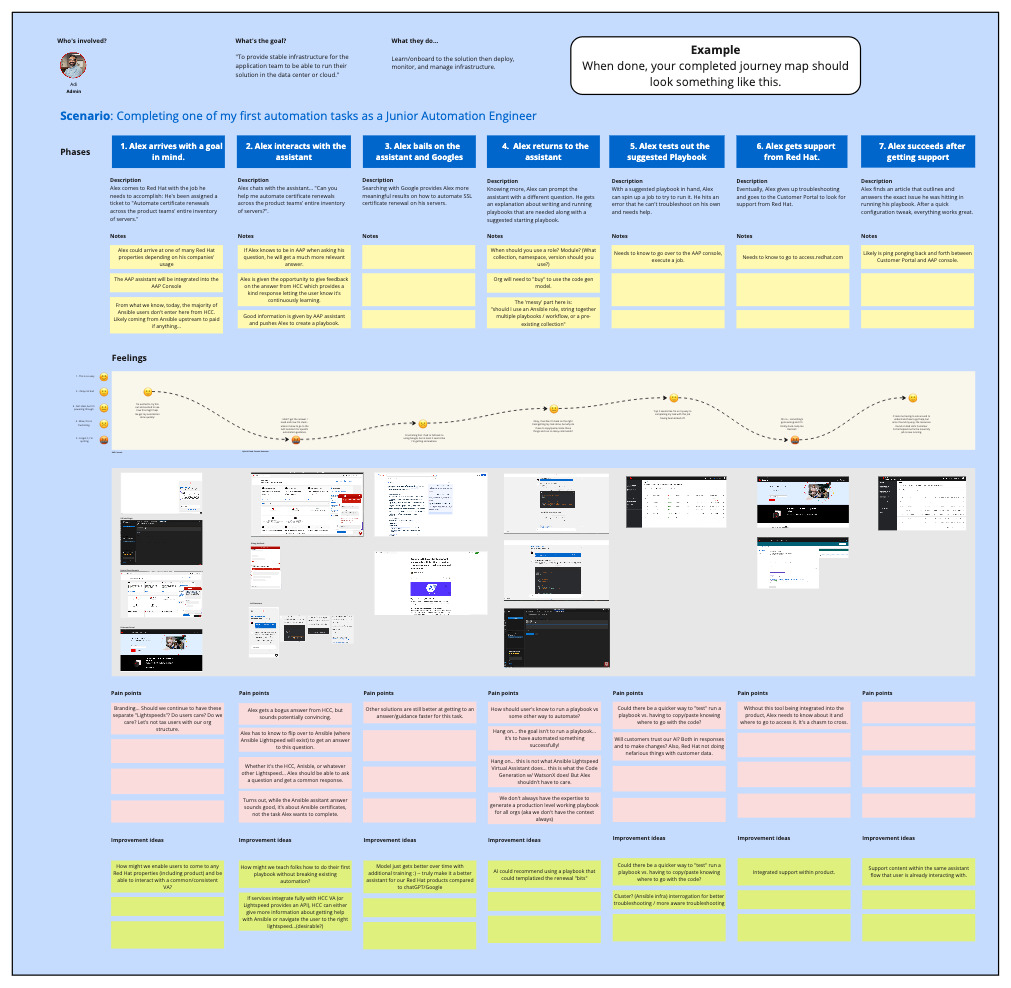
A Miro template for creating this journey map can be found here.
Journey map examples
The following are some examples of Journey Map from both inside of Red Hat and from public sources.
Example 1
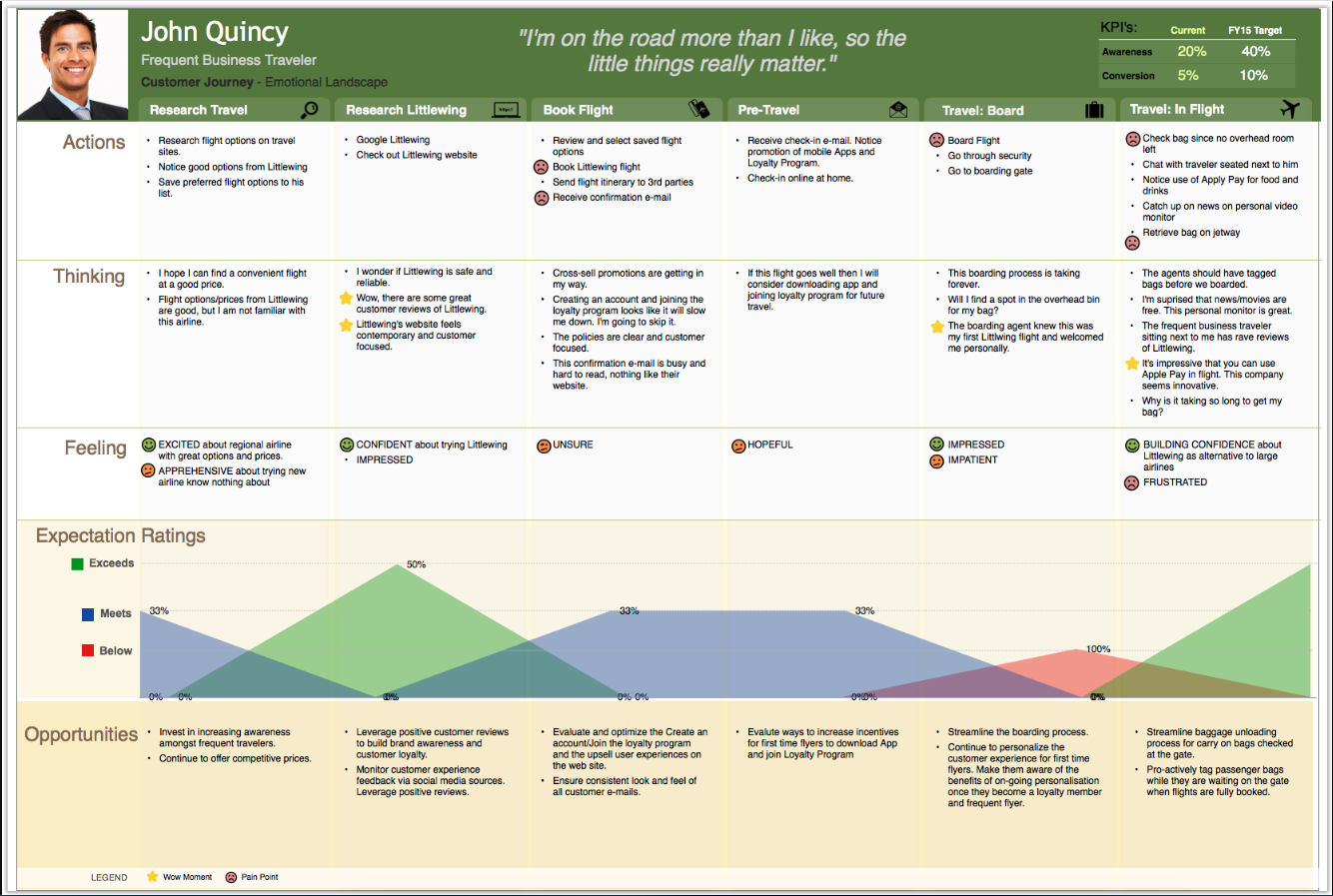
This is an example of a classic journey map where the both the user's actions and emotions are represented as they move through their journey.
Example 2
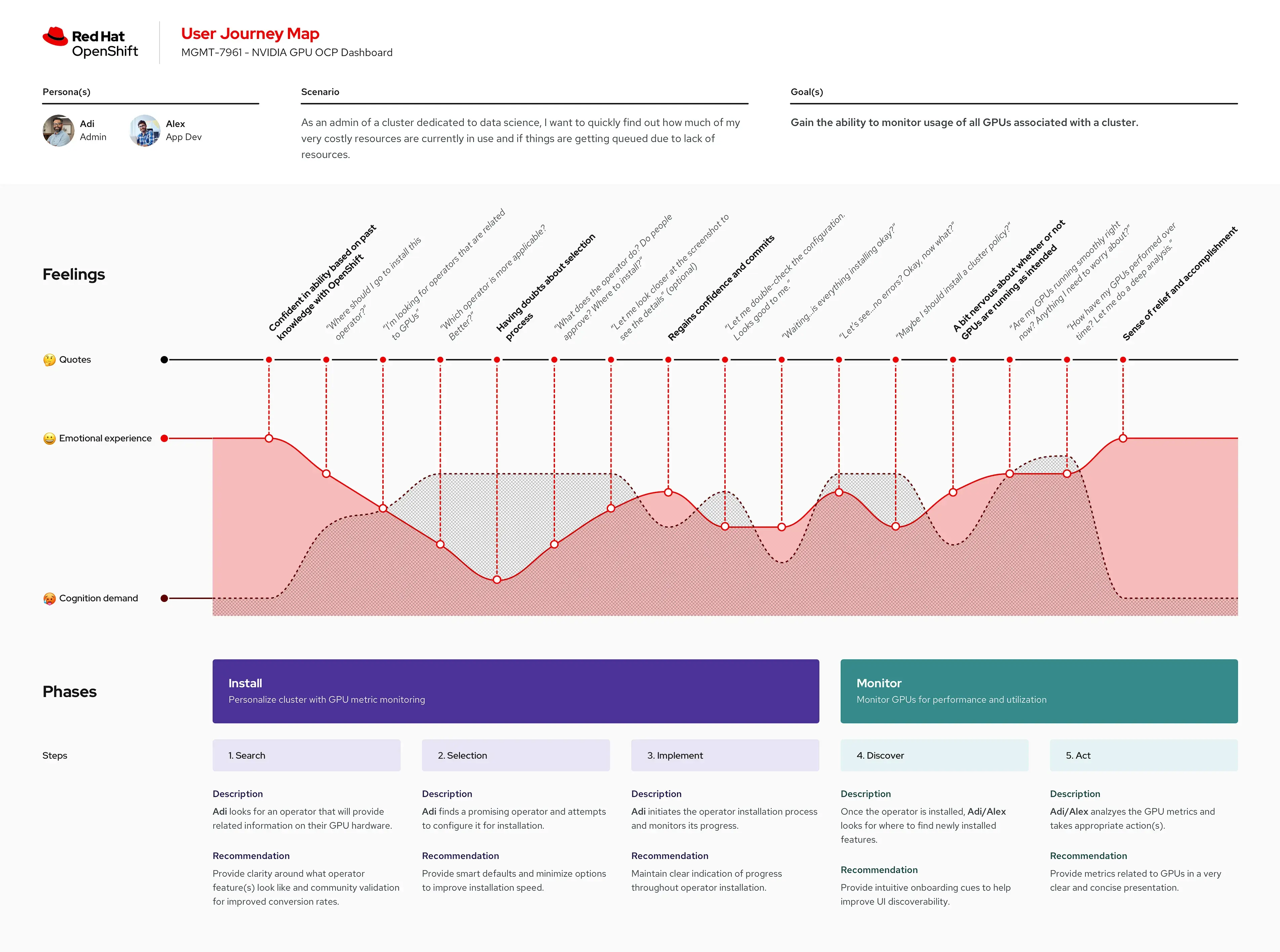
This journey map was created by the Red Hat Open Shift team to reflect the process a systems admin goes through to install and monitor an Open Shift cluster.
Example 3
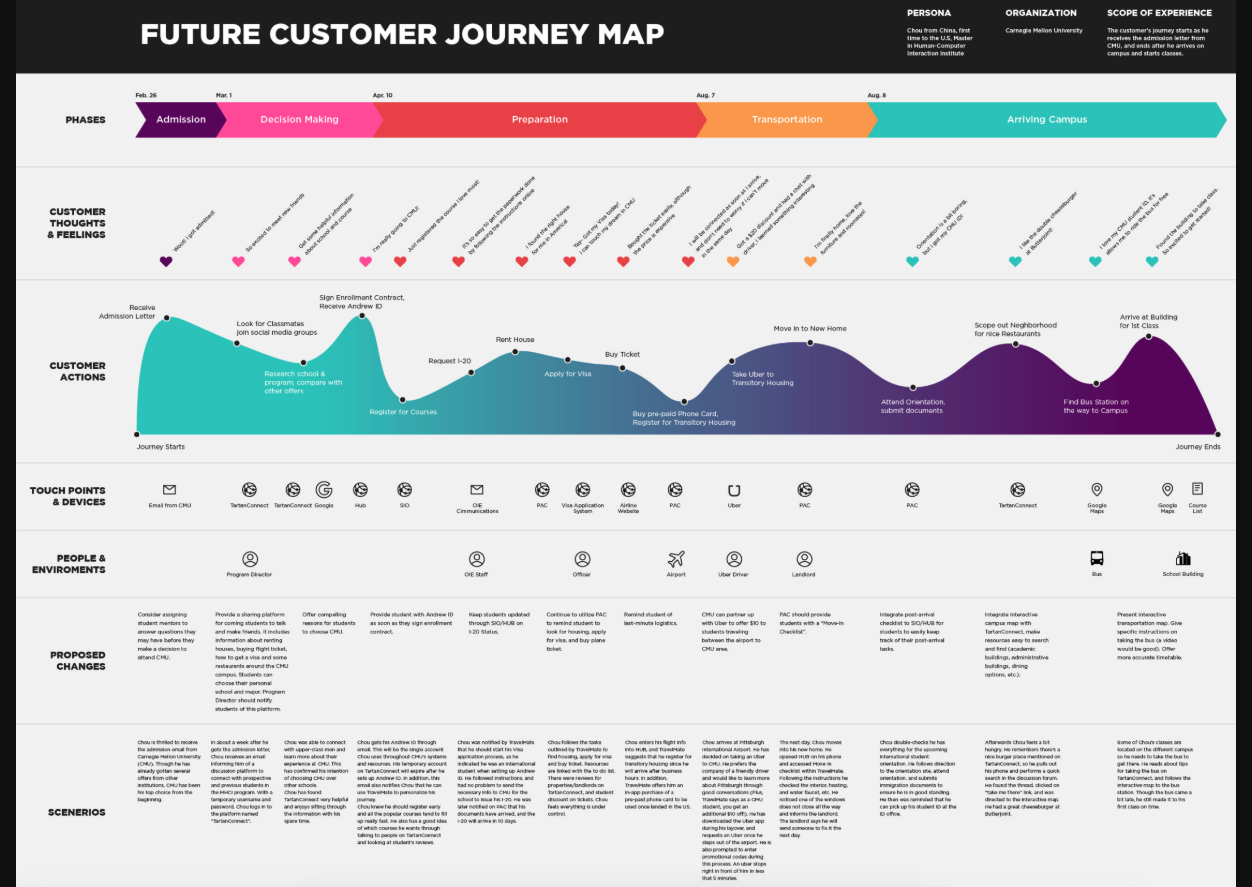
This journey map is intended to reflect a future vision for a student attending college for the first time. This type of journey map is sometimes referred to as a “To-Be” Journey Map.
Learn more
The following are some useful articles and references for those wanting to learn more about journey mapping.
- Customer Journey Maps, a guide by from the Interaction Design Foundation.
- Customer Journey Maps, userinterviews.com, November 2025.
- Journey Mapping 101, by Sarah Gibbons, the Nielsen Norman Group, December 2018.
- Top 10 Mistakes When Creating User Journey Maps, uxplanet.org, April 2024.

Get in Touch!
Spotted a typo? Any feedback you want to share? Do you want to collaborate? Get in touch with the UXD Methods working group using one of the links below!
Drop us a message on the #uxd-hub Slack channel
Submit Feedback